
SPIE
- Project
- 2023
- Industry
- Management
- Internal Tool
- Role
- UX Design
- UI Design
- Prototyping
Overview
SPIE Oil & Gas services is an international subsidiary of the SPIE GROUP specializing in the energy sector, working at the heart of energy production infrastructures, designing, installing, starting up and maintaining them, while ensuring the best possible conditions in terms of safety, costs, lead times and quality.
Context
Why are we here?
The logistics department team at SPIE were having frequent issues with drivers keeping up to their departure time, unaccounted overtime working hours by team members due to frequent calls after work hours and on weekends from company security guards to confirm movement of drivers to leave for a trip and impromptu scheduling of trips for drivers. These issues were adversely reducing the work rate of the staffs, and breaching the company’s policy for work ethics.
What was created?
An internal tool was designed for the both the logistic team and security guards to help with proper communication and to provide opportunities for work efficiency within departments and for the company.
What value does it deliver?
- Improved communication
- Room for higher work rate and efficiency
- Proper management system
the problem
Things had to be clear from onset
Conducted interviews with a staff from the logistics department on what their day to day activities usually looked like, what direct challenges they faced and their opinions on what could make their job enjoyable for them.
From the discussions I had, it became clear that the root cause of all the major issues they were experiencing was due to poor communication between the logistic team, drivers and the security guards.
Having a clear understanding of the problem and the tasks of each staff member, my goal was to design a tool that would be easily adaptable to all staffs involved, provide needed information at the go while considering their ability to recall information.
features & visual designs
Creating a destination trip
Clicking the New destination button starts an easy two-step process for creating a trip. First, staff enter trip details like the name, date, and time. In the second step, they can add a driver, but it's optional.
Only when a driver is added does the system generate and send a destination code to security guards, confirming the trip. This design flow offers control and flexibility, allowing staffs to create a destination with ease and give room for changes later on within a time frame.
Information at a glance
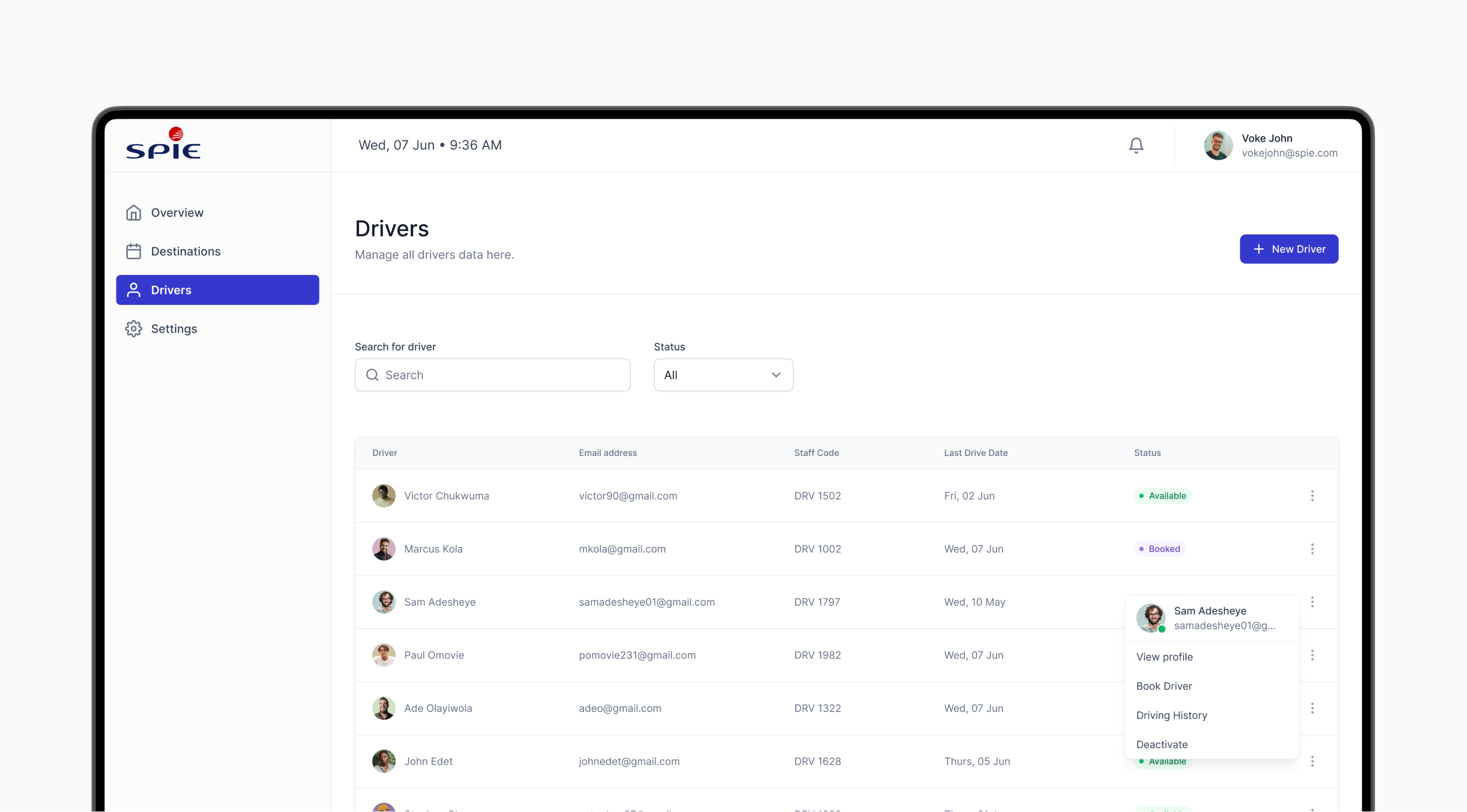
For the drivers sections, the table was designed to show all necessary information about the drivers. Staffs can easily see a driver's status and his recent driving date and then decide on any other action to take from the “more” icon provided.
This organized setup makes it easier for staffs to make decisions on the go and saves them the trouble of having to remember or search for this information all the time.
Booking made efficient
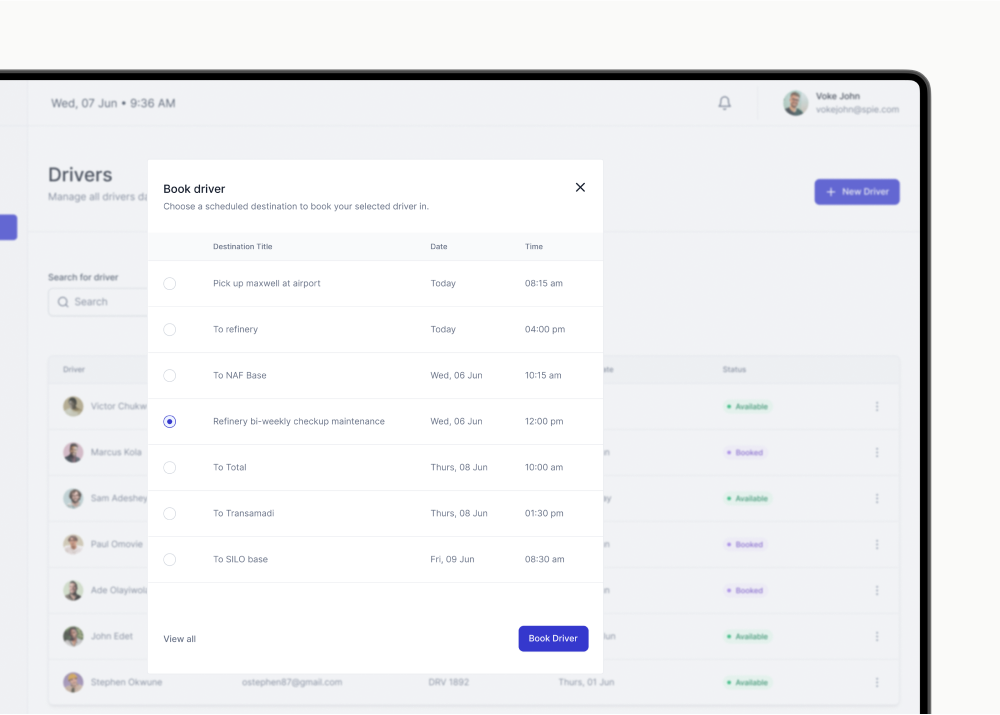
The goal of this design is to make it easy to book a driver for a trip. Staff members can easily pick an available driver from the table to book (as shown in the image above).
To make the process fast, when a driver is selected, a modal screen containing a detailed list of pre-set destinations with names, dates, and departure time is provided to be selected from. This flow makes booking a driver straightforward, and flexible.
Updates in real time
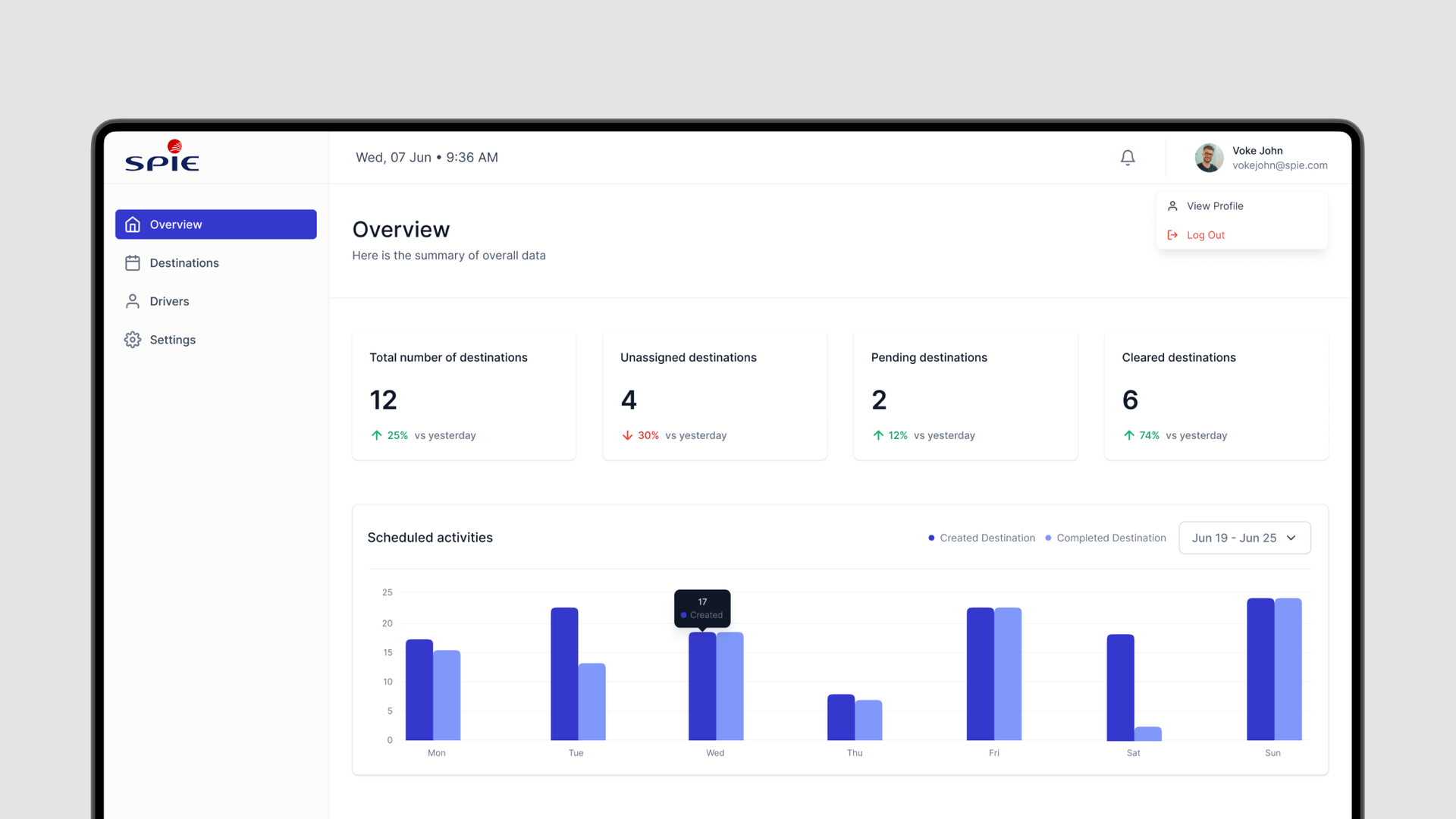
The design includes a summary screen showing key details such as the day's planned trips, the total created, those finished, and what's still pending, all compared to the previous day.
This setup offers real-time data, making work more efficient for staffs. It simplifies their job by letting them easily see what's done and what's not, making decision-making and task management smoother.
Clearing - Saving drivers time
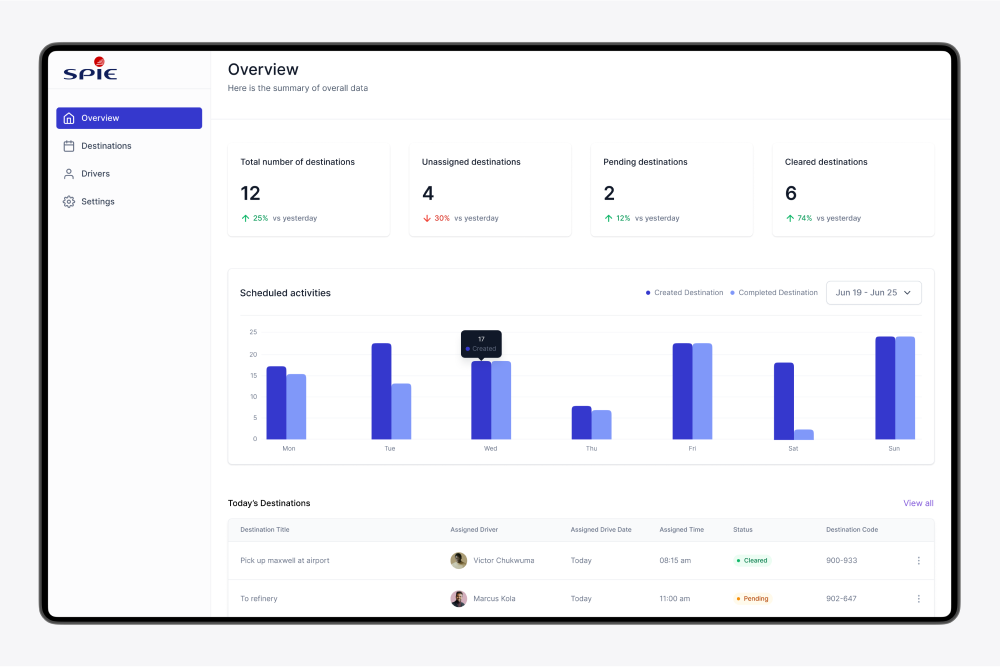
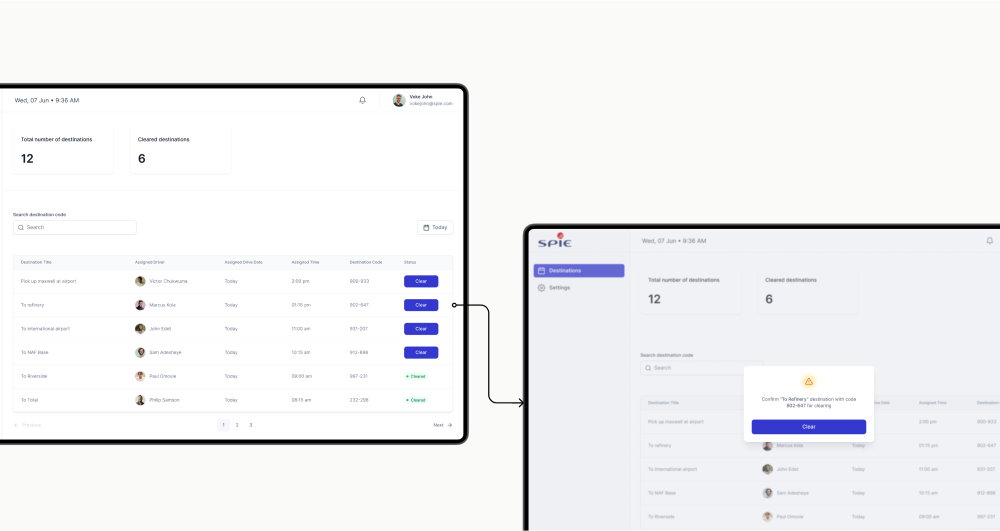
The dashboard for security guards was designed to provide real-time information of both created and cleared destination trips. A table showing scheduled destination trips details, and an actionable status field for clearing the individual destinations is provided.
This design ensures that security staff have all the necessary information in advance, before any driver approaches the gate to leave. Additionally, drivers can use their destination codes at the gate to quickly identify their trips, which will help security clear them faster, making their work more efficient.
retrospective
I tried a new approach to documentation for this project which I would be happy to discuss with anyone. The intention was for the design to be clearly understood since the project was going to be frequently observed by managers and engineers who always needed to understand each solution and screen context.
Takeaways
- Clear Communication Matters: Starting with a series of well-thought-out questions and avoiding assumptions is essential for tackling the right problem.
- Simplicity is still functional: It's definitely worth ensuring that a product is easy to use while effectively addressing a problem.